
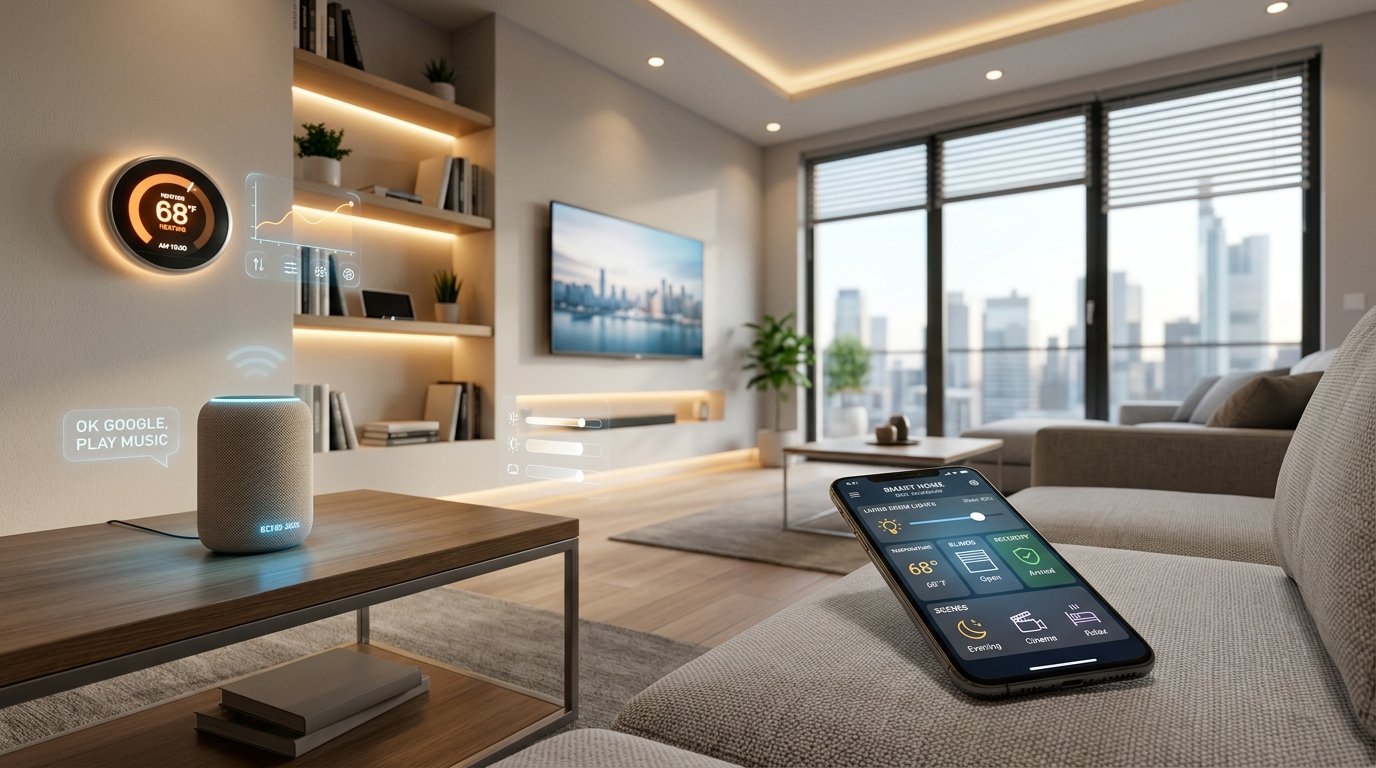
Imagine turning off every light in your house with a single voice command, getting a notification on your phone the moment someone rings your doorbell, or having your thermostat automatically adjust before you even wake up. That’s not science fiction, that’s a smart home.
If you’ve ever felt overwhelmed by terms like Zigbee, Matter, or ecosystems, you’re not alone. This guide breaks everything down in plain English, no tech degree required. Whether you’re starting from scratch or looking to expand an existing setup, you’ll find everything you need right here.
What you’ll learn: What a smart home is, how to choose the right devices, how to set one up step-by-step, how much it costs, and how to keep your home secure.
What Is a Smart Home?
A smart home is a house equipped with devices and appliances that can be controlled remotely or automatically, typically through a smartphone app, voice assistant, or automated schedule powered by modern smart home technology trends.
At its core, a smart home connects your everyday devices to the internet so they can communicate with each other and with you. This is often called the Internet of Things, or Iot.
How Smart Homes Work
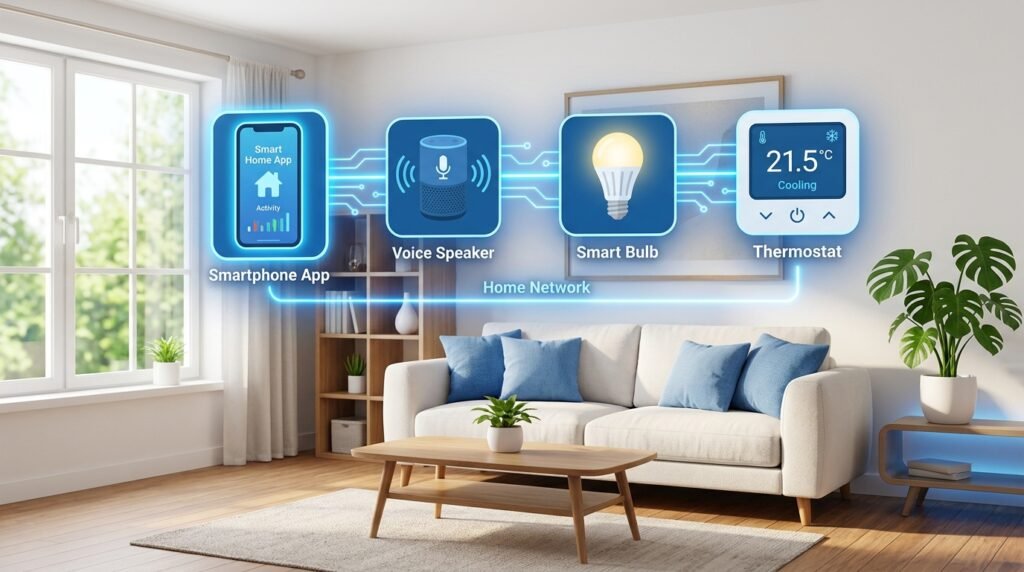
Smart home devices connect to your home Wi-Fi network (or another wireless protocol like Zigbee or Z-Wave). Once connected, they can be controlled through:
• A smartphone app (like the Amazon Alexa app or Google Home app)
• A voice assistant (like Amazon Echo or Google Nest Hub)
• Automated routines and schedules you set up in advance
• Sensors that trigger actions (e.g., a motion sensor that turns on lights)
For example, a smart bulb connects to your Wi-Fi, and you can tell it to turn on, change color, or dim all from your phone or by saying, “Hey Alexa, turn on the living room lights.”
Smart Home Examples
Still not sure what a smart home looks like in practice? Here are a few real-world scenarios:
• Morning Routine: Your alarm goes off, your coffee maker starts, your thermostat warms the house, and your lights gradually brighten, all automatically.
• Away Mode: You leave for work and your home locks the doors, turns off all lights, and arms the security system, with one tap.
• Energy Saver: Your smart thermostat learns your schedule and adjusts heating and cooling so you never pay to heat an empty house.
• Pet Owner: A motion-triggered camera alerts you when your dog enters the kitchen, and you can check in via live video from your office.
Benefits of Smart Homes
Smart homes aren’t just about cool gadgets. They offer real, everyday benefits that can improve your quality of life, safety, and even your bank account.
Convenience
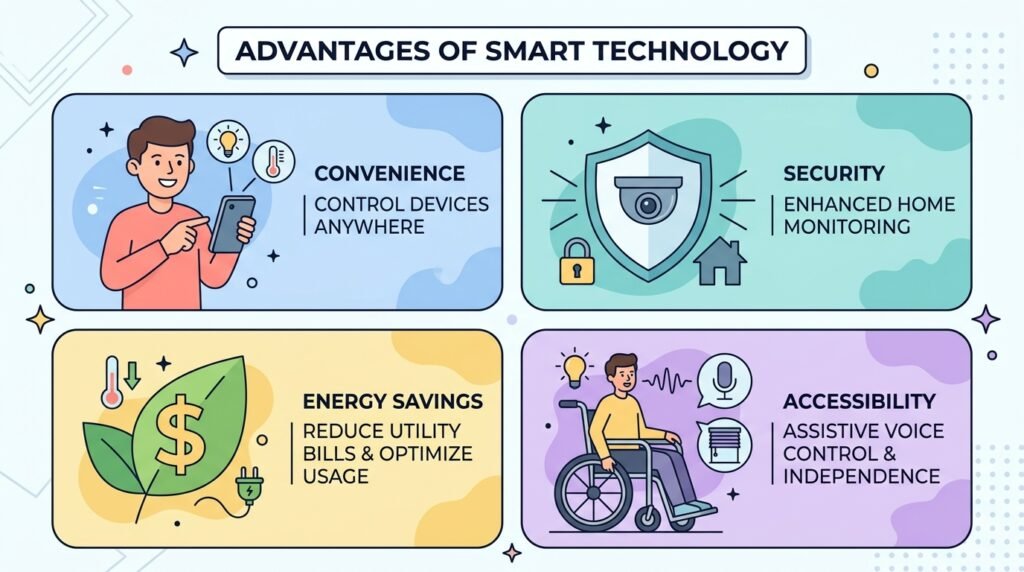
Smart home automation removes the small frictions of daily life. Control your devices from bed, automate repetitive tasks, and create routines that just work. Forget to turn off the iron? Check and control it from your phone, anywhere in the world.
Security
Smart locks, video doorbells, and security cameras give you real-time visibility into who’s coming and going. Get instant alerts for unexpected motion, package deliveries, or when your kids arrive home from school. Many systems let you grant temporary access codes to guests or contractors.
You can also connect your existing wired security system to a smart home platform. See: Can I connect my security system to a smart home? in the FAQ section below.
Energy Savings
Smart thermostats like the Nest or Ecobee learn your schedule and can cut heating and cooling bills by 10–23%, according to Energy Star. Smart plugs can cut vampire power draw from electronics left on standby. Combine these with smart lighting, and the savings add up quickly.
Accessibility
For seniors and people with disabilities, smart home devices can be life-changing. Voice-controlled lights, locks, and appliances remove physical barriers. Smart home automation can help people live independently longer, a benefit that’s often overlooked in mainstream guides.
Smart Home Ecosystems Explained
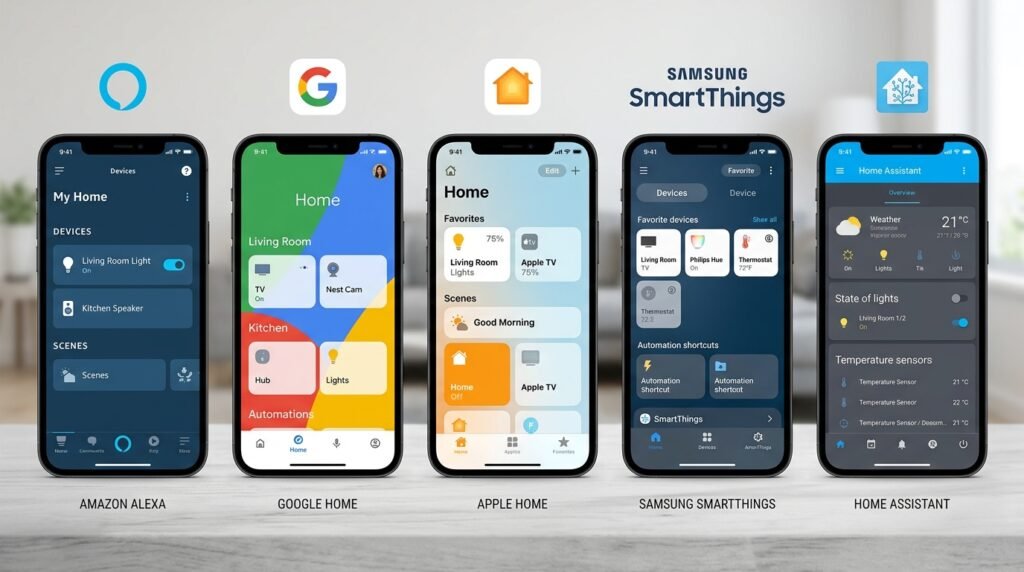
An ecosystem is the platform or hub that connects and controls all your smart devices. Think of it as the operating system of your smart home. Choosing the right one upfront saves you a lot of headaches later.
Here’s a comparison of the major ecosystems:
| Ecosystem | Best For | Voice Assistant | Works With | Price |
| Amazon Alexa | Beginners, widest device support | Alexa (Echo) | 10,000+ devices | Free app |
| Google Home | Android users, Google fans | Google Assistant | Thousands of devices | Free app |
| Apple HomeKit | iPhone/iPad users, privacy-focused | Siri | Fewer but vetted devices | Free (iOS only) |
| Samsung SmartThings | Power users, mixed brands | Bixby / Alexa / Google | Wide compatibility | Free app |
| Home Assistant | Tech enthusiasts, full control | Any (configurable) | Virtually everything | Free (self-hosted) |
Amazon Alexa
Alexa is the most beginner-friendly ecosystem with the widest device compatibility, over 10,000 smart home products work with Alexa. The Amazon Echo speaker is its hub, and setup is straightforward through the Alexa app. Best choice if you want the easiest entry point and broadest product selection.
Google Home
Google Home integrates tightly with Android phones and Google services (Calendar, Maps, Gmail). If you’re already in the Google ecosystem, it’s a natural fit. The Google Nest Hub doubles as a display hub for your devices. It’s also excellent for families using shared Google accounts.
Apple HomeKit
HomeKit is the most private of the major ecosystems, Apple requires devices to meet strict security standards. If you’re an iPhone or iPad user and privacy is your top concern, HomeKit is worth it. The downside: fewer compatible devices and it only works on Apple hardware.
Samsung SmartThings
SmartThings is ideal for users with mixed-brand devices who want one app to control everything. It supports Zigbee, Z-Wave, and Wi-Fi, making it one of the most flexible platforms. It works alongside Alexa and Google Assistant, so you don’t have to choose.
Home Assistant
Home Assistant is free, open-source software that runs locally on a device in your home (no cloud required). It works with virtually every smart home device ever made and gives you complete control over your data and automations. The catch: it has a steep learning curve and is best suited for tech-savvy users.
Smart Home Protocols
A protocol is the language your smart devices use to communicate. You don’t need to memorize all of them, but knowing the basics helps you buy compatible devices.
| Protocol | Range | Speed | Battery Use | Best For |
| Wi-Fi | Medium (30-50m) | Fast | High | Cameras, speakers, hubs |
| Bluetooth | Short (10m) | Medium | Low | Locks, headphones, sensors |
| Zigbee | Medium (10-20m) | Medium | Very Low | Lights, sensors, smart plugs |
| Z-Wave | Medium (30m) | Medium | Very Low | Locks, thermostats, switches |
| Matter | Varies | Fast | Low-Medium | Universal cross-brand standard |
Wi-Fi
Wi-Fi is the most common protocol, your devices connect directly to your home router. It’s easy to set up and fast, but too many Wi-Fi devices can slow your network. Best for devices that need constant, high-bandwidth connections like security cameras and smart speakers.
Bluetooth
Bluetooth is low-power and works without Wi-Fi, but has a short range (typically under 10 meters). It’s commonly used in smart locks, fitness trackers, and some smart lighting systems. Bluetooth Mesh extends range by having devices relay signals to each other.
Zigbee
Zigbee is a low-power mesh network protocol used by Philips Hue, IKEA TRÅDFRI, and Amazon Echo devices. Devices talk to each other and extend range, making it great for larger homes. It requires a hub (like Amazon Echo or SmartThings) to connect to your phone.
Z-Wave
Z-Wave is similar to Zigbee but operates on a different frequency, reducing interference. It’s preferred for security devices like smart locks and sensors. Z-Wave devices are typically higher quality and more expensive, and require a Z-Wave hub.
Matter
Matter is the newest universal smart home standard, backed by Apple, Google, Amazon, and Samsung. Its goal: make devices work with any ecosystem, so you’re no longer locked in to one brand. If a device says “Works with Matter,” it should work with Alexa, Google Home, HomeKit, and SmartThings simultaneously.
Pro Tip: When buying new devices in 2026, look for the Matter logo. It future-proofs your purchases and gives you maximum flexibility.
Best Smart Devices for Beginners
Not sure where to start? These six categories are the most popular entry points into smart home technology, all beginner-friendly and available at every budget.
Smart Lights
Smart lighting is the #1 starting point for most beginners. Smart bulbs screw into existing light sockets and can be dimmed, color-changed, or automated, no rewiring required. You can also use smart switches to control standard bulbs.
• Starter pick: Philips Hue White (Zigbee, works with Alexa, Google, HomeKit)
• Budget pick: IKEA TRÅDFRI or Wyze Bulbs
• Designer compatible: Yes, smart switches work with designer fixtures
To dim a smart home light from your PC, use the ecosystem’s desktop app or web dashboard (e.g., Philips Hue has a web app, and Home Assistant has a full browser interface).
Smart Plugs
Smart plugs turn any standard outlet into a smart outlet. Plug in a lamp, fan, or coffee maker and control it from your phone. They’re the easiest, cheapest upgrade you can make, no installation required.
• Starter pick: Amazon Smart Plug, Kasa Smart Plug
• Look for: Energy monitoring feature to track power usage
Smart Thermostats
A smart thermostat learns your schedule and saves energy automatically. It’s one of the highest-ROI smart home devices, many users save enough on energy bills to recoup the cost within a year.
• Top picks: Google Nest Thermostat, Ecobee SmartThermostat
• Key feature: geofencing (adjusts temperature when you leave/arrive home)
• Compatibility: Most work with standard HVAC systems; check before buying
Smart Locks
Smart locks let you lock and unlock your door from your phone, grant temporary codes to guests, and get alerts when the door is opened. Most replace your existing deadbolt without major changes.
• Top picks: Schlage Encode, August Wi-Fi Smart Lock
• Tip: Choose a model with a physical keypad backup in case your phone dies
Security Cameras
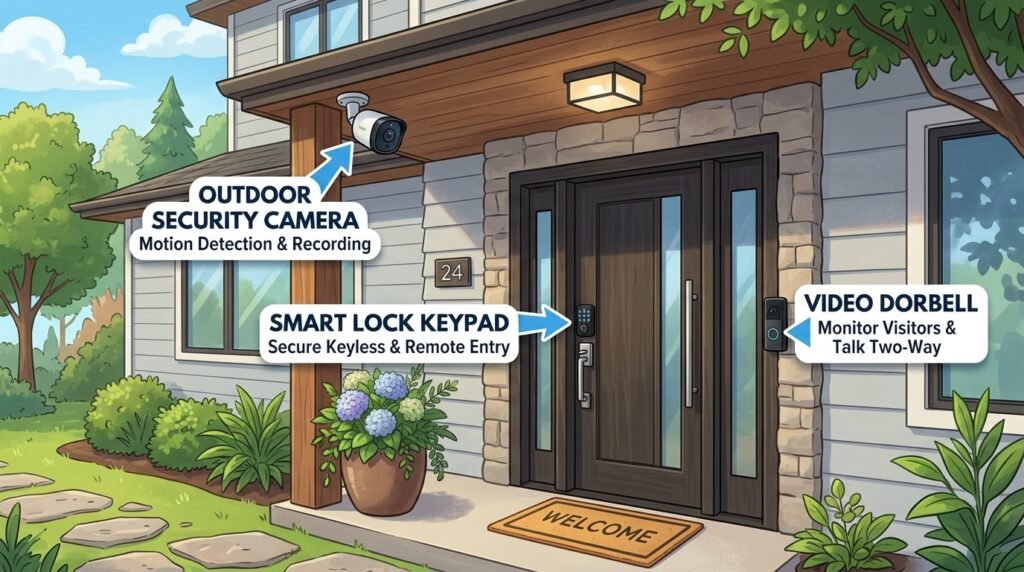
Indoor and outdoor security cameras give you 24/7 visibility. Modern cameras offer motion alerts, night vision, and cloud or local storage. You can also connect your existing wired security system to smart home platforms via a compatible hub or bridge.
• Indoor: Wyze Cam, Arlo Essential
• Outdoor: Ring Stick Up Cam, Google Nest Cam
• For full systems: SimpliSafe and Ring Alarm integrate with Alexa and Google Home
Smart Speakers
A smart speaker is both a voice assistant and a smart home hub. It lets you control all your devices with voice commands. If you’re only buying one device, a smart speaker is the best starting point.
• Amazon Echo (4th Gen): Best for Alexa ecosystem
• Google Nest Audio: Best for Google Home ecosystem
• Apple HomePod mini: Best for HomeKit/Apple users
How to Build a Smart Home Step-by-Step
Building a smart home doesn’t have to be overwhelming. Follow these six steps and you’ll go from zero to automated in a weekend.

Step 1: Set Goals
Before buying anything, ask yourself: What problem am I trying to solve? Do you want to save energy? Improve security? Make life more convenient? Your goals determine which devices and ecosystem make the most sense. Write down your top 3 priorities.
Step 2: Choose a Budget
Smart home setups can start at under $50 or run into thousands. Decide your initial budget before you shop. It’s easy to overspend when every gadget looks appealing. Start small, you can always expand later.
Step 3: Pick an Ecosystem
Choose one primary ecosystem (Alexa, Google Home, HomeKit, or SmartThings) and stick to it for your core devices. Use the comparison table above to guide your choice. The biggest factor: what smartphone you use and whether you already own Alexa or Google devices.
Step 4: Start Small
Don’t try to automate everything at once. Start with 1–3 devices: a smart speaker, a smart bulb, and a smart plug. Get comfortable with your app, practice voice commands, and understand what you like before expanding.
Step 5: Add Automation
Once your devices are set up, the real magic starts: automation. Most ecosystems let you create “routines” or “scenes” that trigger multiple actions at once.
• “Good morning” routine: Turn on lights, start coffee maker, check weather
• “Leaving home” routine: Lock doors, turn off lights, set thermostat to away mode
• “Bedtime” routine: Dim lights, lock doors, set thermostat overnight temperature
Start with one automation per scenario. Complexity can grow naturally over time.
Smart Home Costs Breakdown
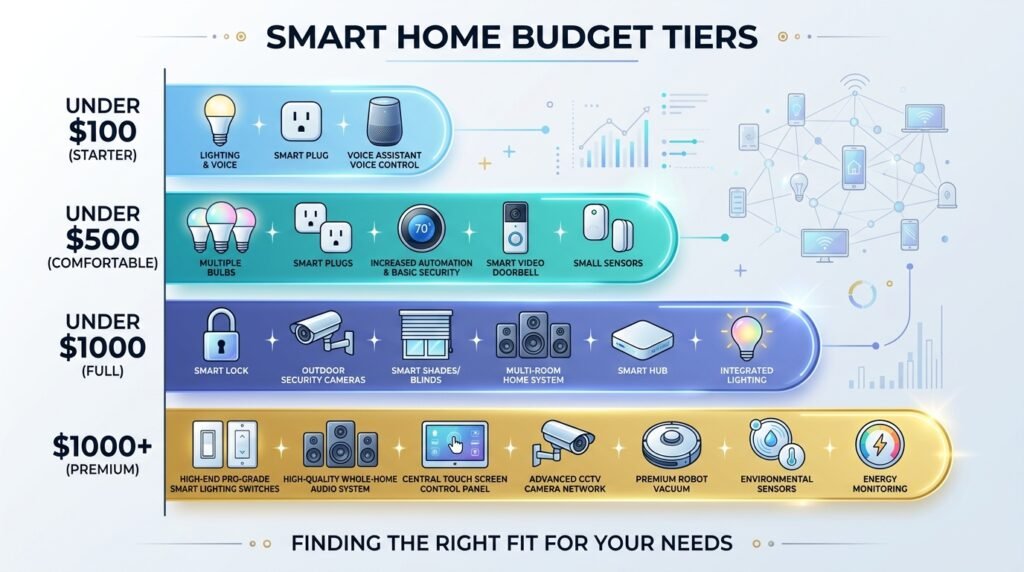
Here’s what you can realistically expect to spend at different budget levels. All prices are approximate 2026 market prices.
Under $100 — Starter Setup
| Device | Estimated Cost | Why Buy It |
| Smart speaker (Amazon Echo Dot) | $30–$50 | Voice control hub |
| Smart plug x2 (Kasa or Amazon) | $15–$25 | Control any appliance |
| Smart bulb x2 (Wyze or Sengled) | $15–$20 | Easy lighting upgrade |
Total: $60–$95 | Result: Voice-controlled lights and appliances in one room.
Under $500 — Whole-Home Basics
| Device | Estimated Cost | Why Buy It |
| Smart speaker (Echo 4th Gen) | $60–$100 | Main hub |
| Smart bulbs x10 | $60–$100 | Whole-home lighting |
| Smart thermostat | $130–$180 | Energy savings |
| Smart lock (August or Schlage) | $80–$150 | Keyless entry |
| Video doorbell (Ring or Wyze) | $50–$100 | Front door security |
Total: $380–$630 | Result: Comfortable, energy-efficient, and more secure home.
Under $1,000 — Full Smart Home
Add indoor and outdoor cameras ($150–$300), a smart smoke detector, smart plugs throughout the house, and smart switches to replace standard light switches. At this level, you have comprehensive coverage and meaningful automation across every room.
Premium Setups — $1,000+
Premium setups include professional installation, custom automation software, smart blinds and shades ($100–$500 per window), whole-home audio, integrated alarm systems, and possibly a dedicated home server running Home Assistant. Some homeowners spend $5,000–$20,000 on fully integrated systems with professional programming.
Budget Tip: Always check for sales during Amazon Prime Day, Black Friday, and Google’s sale events smart home devices regularly see 30–50% discounts.
Smart Home Security & Privacy Risks
Every connected device is a potential entry point for hackers. This isn’t a reason to avoid smart homes, it’s a reason to set them up properly. The good news: basic security practices eliminate most risks.
Prevent Hacking
Yes, smart homes can be hacked, but only if you make it easy for attackers. Here’s how to protect yourself:
• Use unique, strong passwords for every device and app (use a password manager)
• Enable two-factor authentication (2FA) on your ecosystem account
• Update your device firmware regularly, manufacturers patch vulnerabilities
• Only buy from reputable brands cheap, no-name devices often lack security updates
• Check if the device still receives security updates before buying
Secure Your Wi-Fi
Your Wi-Fi router is the gateway to all your smart devices. Securing it is the single most important step you can take:
• Use WPA3 encryption (check your router settings)
• Create a separate “IoT” or “guest” network just for smart devices keeps them isolated from your main computers
• Change the default router admin password
• Keep your router firmware updated
Data Privacy Concerns
Smart home devices collect data about your schedule, habits, voice commands, and home activity. Here’s what you should know:
• Voice assistants record snippets of audio; review and delete recordings regularly in your app settings
• Camera footage may be stored in the cloud; check privacy settings and opt for local storage where possible
• Read the privacy policy before buying; especially for cameras and microphones
• Apple HomeKit has the strongest privacy protections of any major ecosystem
Cheap Device Warning: Inexpensive smart home devices from unknown brands often lack security updates and may sell your data. Stick to established brands or check for Matter certification, which requires minimum security standards.
Smart Home Mistakes to Avoid
Most smart home frustrations come from a handful of avoidable mistakes. Learn from these before you spend a dollar:
1. Buying devices from multiple incompatible ecosystems before choosing one primary platform.
2. Underestimating your Wi-Fi: cheap routers struggle with 20+ connected devices. Invest in a quality router or mesh system first.
3. Overcomplicating automations too soon: start with simple routines before building complex multi-step sequences.
4. Ignoring firmware updates: unpatched devices are the #1 cause of smart home hacks.
5. Buying the cheapest option: budget no-name devices often have poor apps, no updates, and security issues.
6. Not testing device compatibility before buying: always check the “Works With” list for your chosen ecosystem.
7. Setting up everything at once: this leads to setup fatigue and configuration errors. Add devices one at a time.
Best Smart Home Ideas for Renters
You don’t need to own a home to enjoy smart home technology. Most smart home devices are completely renter-friendly; they require no drilling, no permanent changes, and move with you when you leave.
Here are the best options for renters:
• Smart bulbs: Replace existing bulbs with no wiring, screw them in and out like any light bulb.
• Smart plugs: Just plug in control of any device through any outlet.
• Portable smart speakers: No installation, plug in anywhere.
• Smart locks (adapter type): The August and Level smart locks attach to the interior of your existing deadbolt without replacing the lock cylinder landlord-approved in most cases.
• Battery-powered video doorbells: Models like the Ring Video Doorbell (battery) mount with minimal hardware.
• Stick-up cameras: 3M Command strips or suction mounts, no holes required.
• Smart thermostats: Check with your landlord first; most will approve since they save energy. Replace and keep the original thermostat to reinstall when you leave.
Renter Rule: Always take photos before installing anything, and keep original devices (like thermostats and bulbs) in labeled bags so you can restore everything perfectly when you move out.
Future of Smart Homes in 2026
Smart home technology is evolving faster than ever. Here are the three biggest technology trends shaping the space right now.
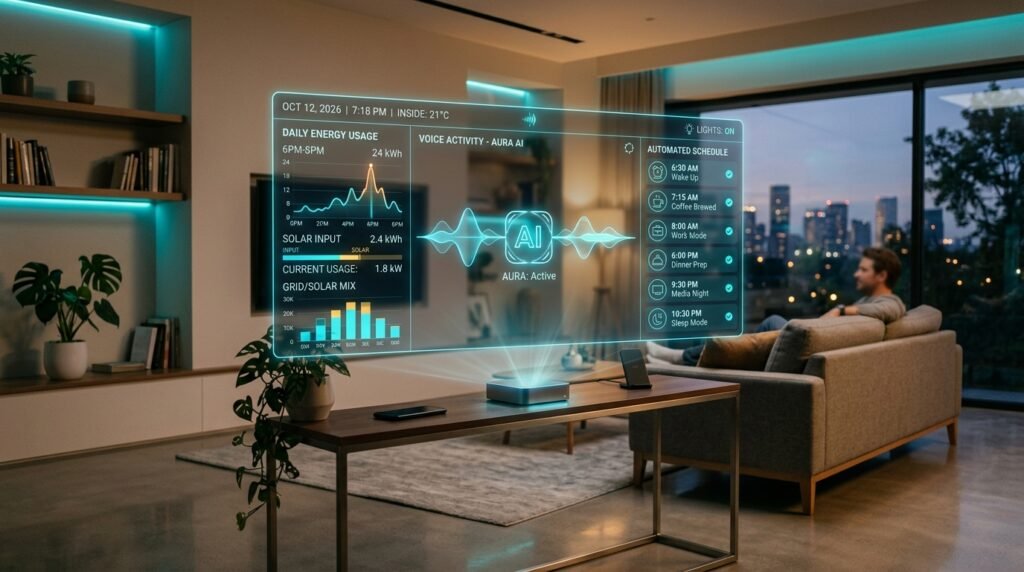
AI Automation
The biggest shift in 2026 is the move from rule-based automation (“if X, then Y”) to AI-driven automation. New platforms are learning your patterns and proactively suggesting or making adjustments without you programming a single routine. Google Home’s AI features, Apple’s Intelligence integrations, and Home Assistant’s AI plugins are all examples of this trend in action.
Energy Monitoring
As electricity prices rise globally, smart home energy monitoring is becoming mainstream. Devices like the Emporia Vue and Sense Energy Monitor give you real-time visibility into every circuit in your home. Combine this with smart EV chargers, solar panels, and battery storage systems, and your home can intelligently shift energy usage to the cheapest time of day automatically.
Voice AI
Voice assistants in 2026 are dramatically smarter and more conversational than even two years ago. Instead of memorizing exact commands, you can now have natural conversations with your assistant. “It’s a bit chilly in here” can trigger a thermostat adjustment. Context-aware voice AI is making smart homes accessible to people who never bothered with exact commands.
Frequently Asked Questions
1. What is the easiest smart home device to start with?
A smart speaker is the easiest starting point. The Amazon Echo Dot costs around $30, takes minutes to set up, and immediately lets you control lights, ask questions, play music, and set reminders with voice commands. From there, a smart plug or smart bulb makes an excellent second device.
2. How much does a smart home cost?
You can start a smart home for under $100. A basic setup with a smart speaker, two smart bulbs, and a smart plug runs $60–$95. A whole-home system with thermostat, lock, cameras, and full lighting typically costs $400–$800. Premium or professionally installed setups start at $1,000 and can reach $20,000+.
3. Do smart homes increase electricity bills?
Most smart home devices use very little standby power. Smart thermostats and smart lighting typically reduce your energy bills, not increase them. A smart thermostat alone can cut heating and cooling costs by 10–23%, which often offsets any additional device power draw. Use smart plugs with energy monitoring to identify and eliminate high power draws.
4. Is Matter better than Zigbee?
Matter and Zigbee serve different purposes. Matter is a universal compatibility standard that ensures devices work across all major ecosystems. Zigbee is a wireless protocol for local mesh networking. In 2026, Matter is the future-proof choice for new purchases, but Zigbee devices still offer excellent value and performance, especially for lighting and sensors. Many modern devices support both.
5. Are smart homes safe?
Yes, when set up correctly. Use strong unique passwords, enable two-factor authentication, keep devices updated, and create a separate IoT network. Smart home hacks are rare against properly secured setups. The bigger risk is cheap, unbranded devices that lack security updates. Stick to established brands or Matter-certified devices.
6. Can renters install smart home devices?
Absolutely. Most smart home devices are renter-friendly: smart bulbs, smart plugs, and smart speakers require zero installation. Smart locks like the August Lock attach to the inside of your existing deadbolt without replacing anything visible. Battery-powered cameras and doorbells mount without drilling. Always check with your landlord for anything requiring wall mounting or thermostat changes.
7. Do smart homes work without the internet?
It depends on the device and platform. Most smart home devices require an internet connection for remote access and cloud features. However, some systems, particularly those using Zigbee, Z-Wave, or running Home Assistant locally work on your home network even without the internet. Basic automations (like scheduled lights) often still function offline, but voice assistant controls and phone notifications require the internet.
8. Which ecosystem is best for beginners?
Amazon Alexa is the best ecosystem for most beginners. It has the widest device compatibility, the most affordable hardware (Amazon Echo Dot), and the most beginner-friendly app. If you’re an iPhone user and privacy is important to you, Apple HomeKit is a strong alternative. Google Home is the best choice if you use Android and Google services heavily.
9. Is cheap smart home stuff safe?
Cheap smart home devices from unknown brands can pose real security risks. Many lack regular firmware updates, use weak encryption, or have been found to transmit data to unknown servers. If you want to save money, buy from established budget brands (like Wyze, Kasa, or Sengled) rather than truly no-name products. When possible, choosing Matter-certified devices certification requires minimum security standards.
10. What is a smart home app?
A smart home app is the smartphone application you use to control and manage your smart devices. Each ecosystem has its own app: the Amazon Alexa app, the Google Home app, the Apple Home app, and the SmartThings app. These apps let you set up devices, create automations, check device status, view camera feeds, and control everything remotely. Most are free to download and use.
11. Can a home be wired to be a smart home?
Yes, and wired smart home systems are the most reliable. In-wall smart switches and dimmers replace standard switches and control any connected bulb (including designer fixtures). Smart panels like Leviton’s Decora Smart line or Lutron Caseta work with any light fixture. For a fully wired approach, a custom installer can run structured wiring (CAT6, speaker wire, security cables) and connect everything to a central hub. This is more expensive but eliminates Wi-Fi congestion and battery issues.
12. Can I use designer lights with a smart home system?
Yes. If you want to keep your existing designer light fixtures, the best approach is to use smart switches or smart dimmers instead of smart bulbs. Smart switches control the power to any bulb or fixture from the wall, your designer lamp stays exactly as it is, and the smart switch handles the intelligence. Lutron Caseta and Leviton Decora are the most compatible options with major ecosystems.
13. Can I connect my security system to a smart home?
Yes, in many cases. Ring Alarm, SimpliSafe, ADT Pulse, and Abode all integrate natively with Alexa, Google Home, or SmartThings. For older wired security systems, a bridge device (like the Konnected panel) can connect your existing sensors and wiring to a modern smart home platform. This lets you use existing door/window sensors with your smart home automations.
Final Thoughts: Your Smart Home Journey Starts Today
Building a smart home doesn’t require a huge budget, a tech degree, or a complete renovation. It starts with one device, one app, and one small improvement to your daily life.
The best advice: pick one ecosystem, buy one smart speaker, and add one or two more devices after you’re comfortable. Before long, you’ll wonder how you lived without it.
Ready to start? Choose your ecosystem from the comparison table above, grab a smart speaker, and follow the step-by-step setup guide in this article. Your smart home journey starts with a single device.